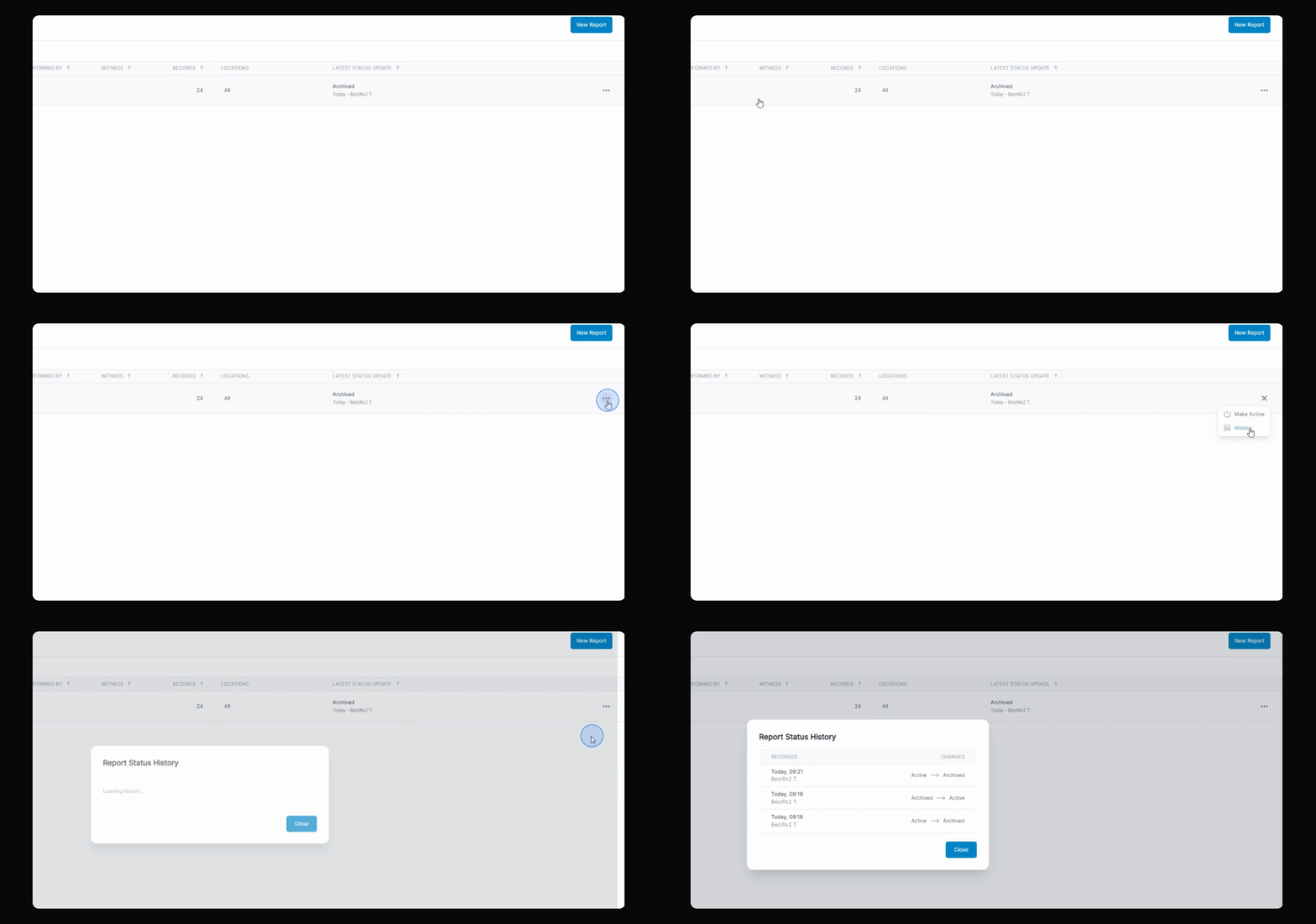
DEA compliance reports now support archiving. This lets you manage your reports more efficiently and keep track of their activity. Let's look at the steps:
Step 1: Open DEA Compliance Report
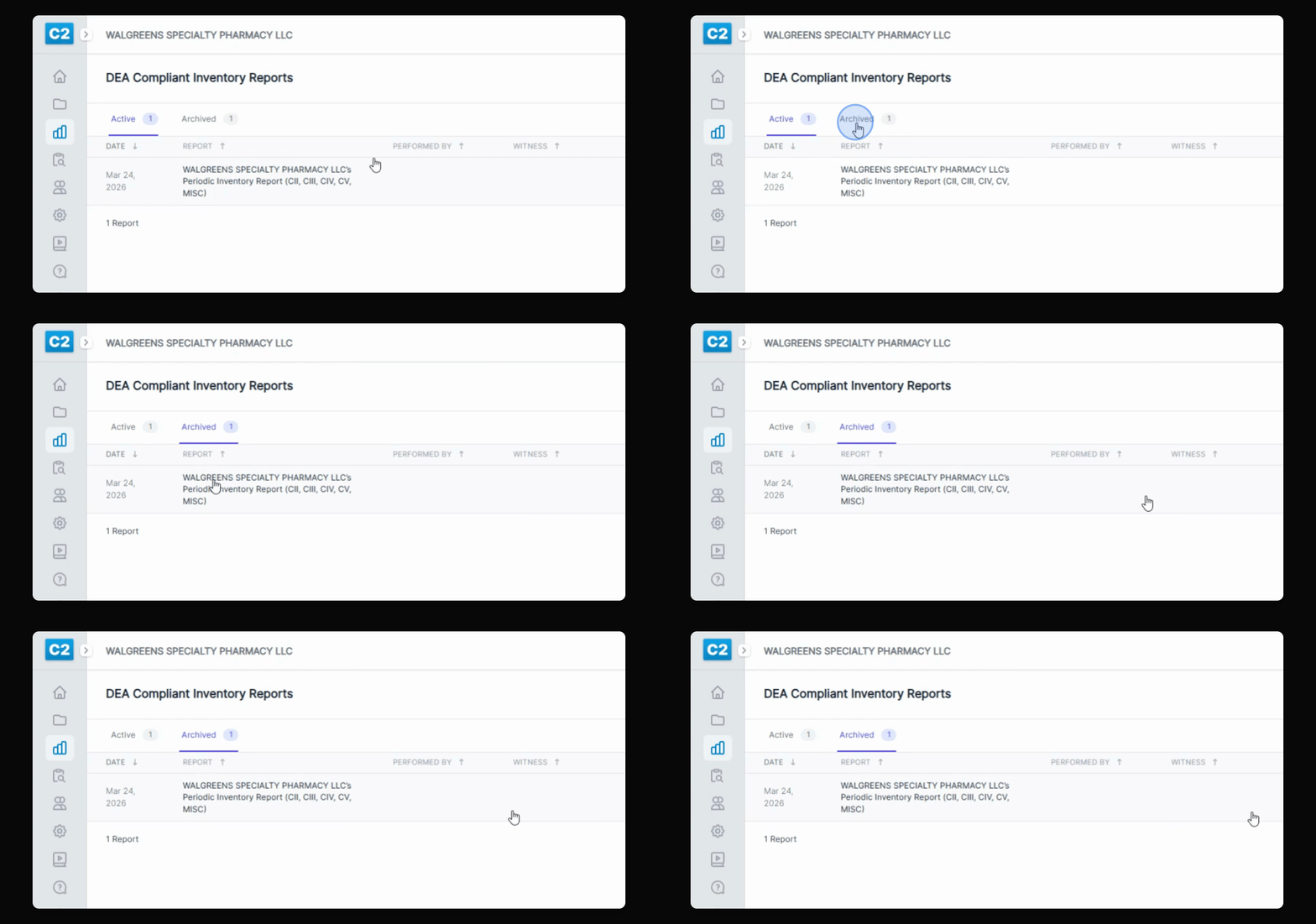
Navigate to the DEA compliance report section in your dashboard.
Step 2: Review Report Tabs
Notice there are two tabs: Active Reports and Archived Reports. Use these to switch between current and archived reports.
Step 3: Archive a Report
Click the three dots next to the report you want to archive, select Archive, and enter your PIN to confirm.
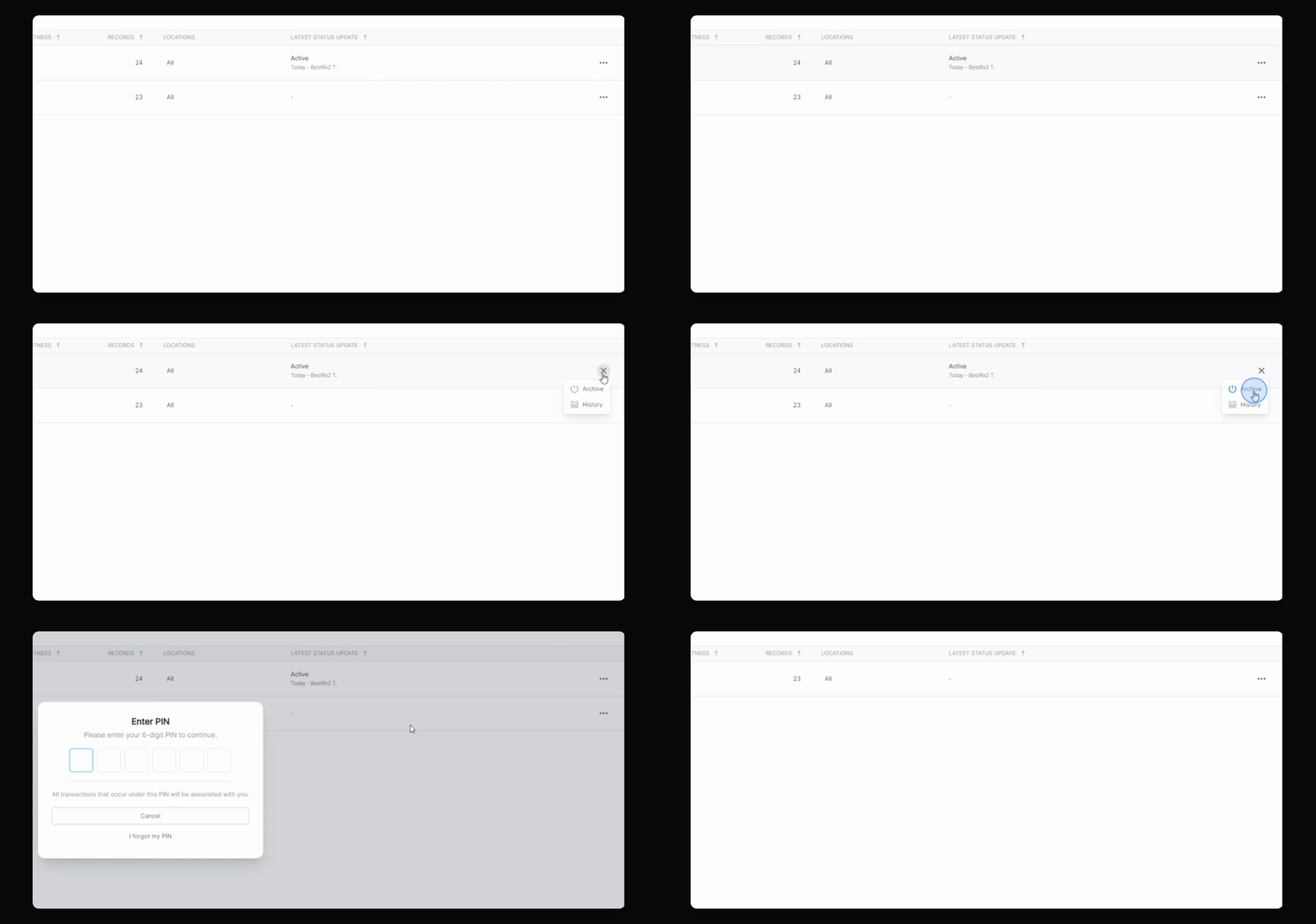
Step 4: Confirm Archiving
Once archived, the report will move to the Archived Reports tab.
Step 5: View Report Activity History
You can view the activity history for each report, including who archived or unarchived it and when these actions occurred.