

There's a new feature that lets you filter your reports more accurately by selecting specific time periods. Let's look at the steps:
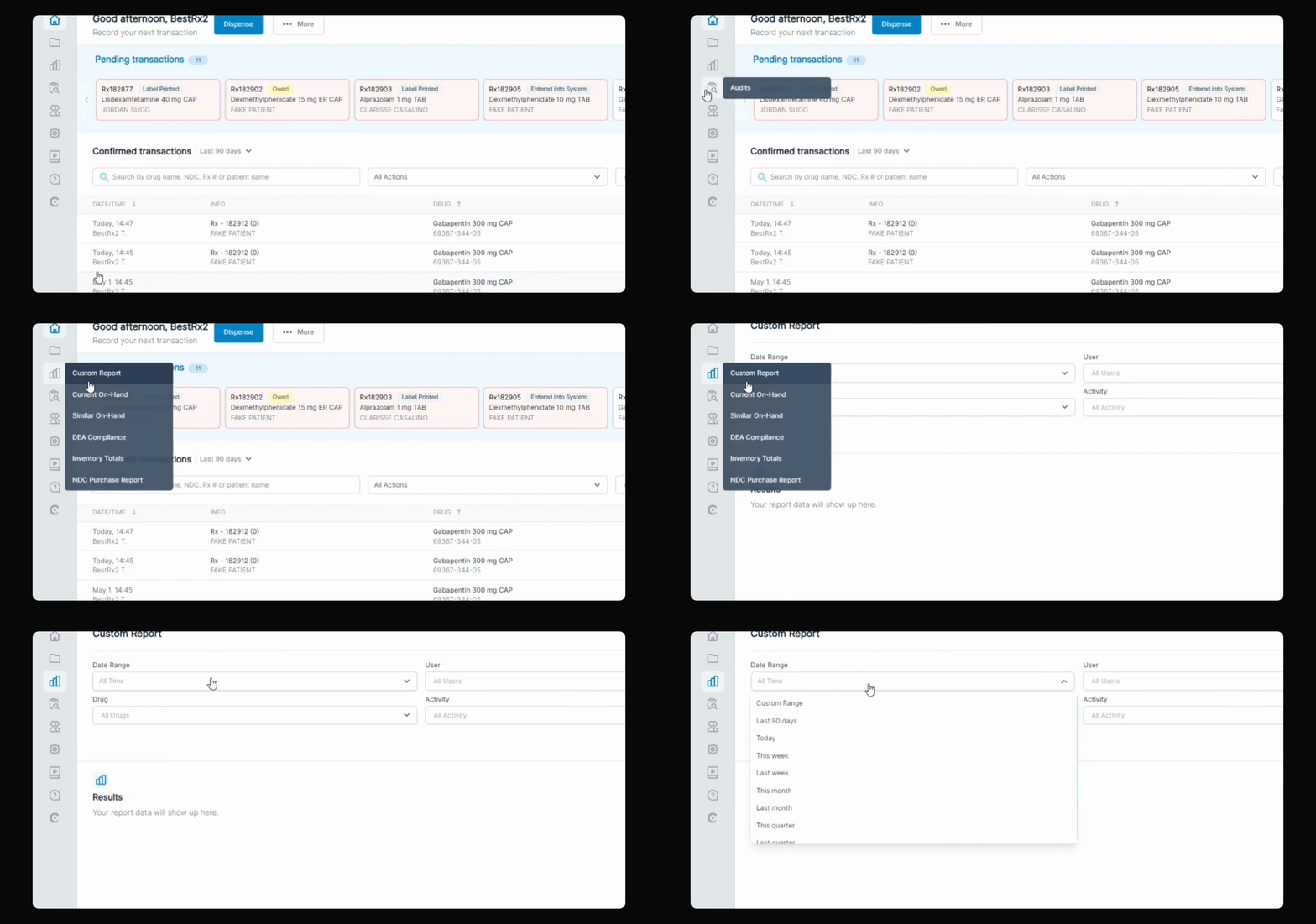
Step 1: Choose Custom Range
When running any report, select the custom range option to begin filtering by date and time.
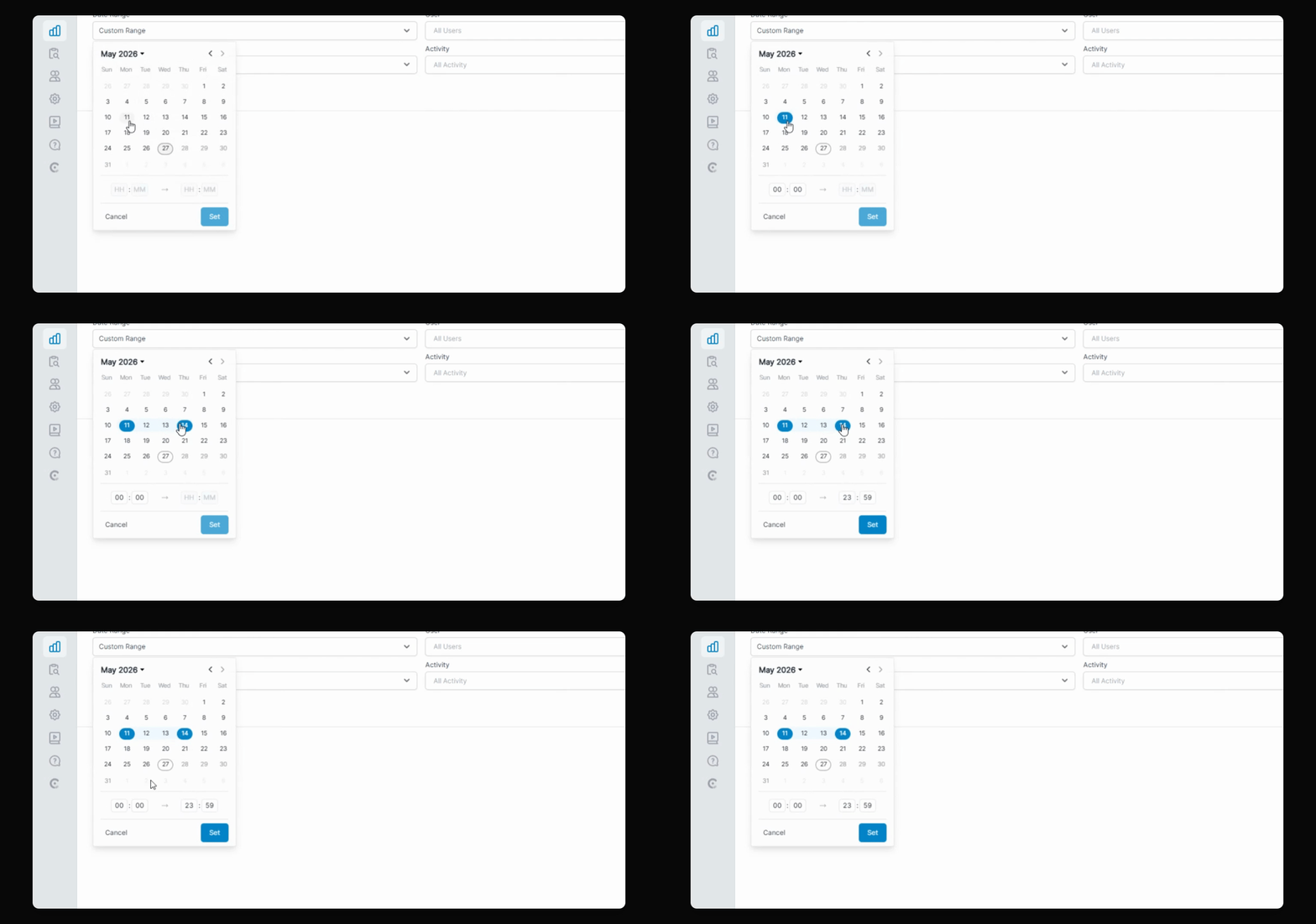
Step 2: Select Start and End Date
Pick your desired start and end dates. You will also see an option to filter by specific time periods. This feature is available in any report that supports a custom range.
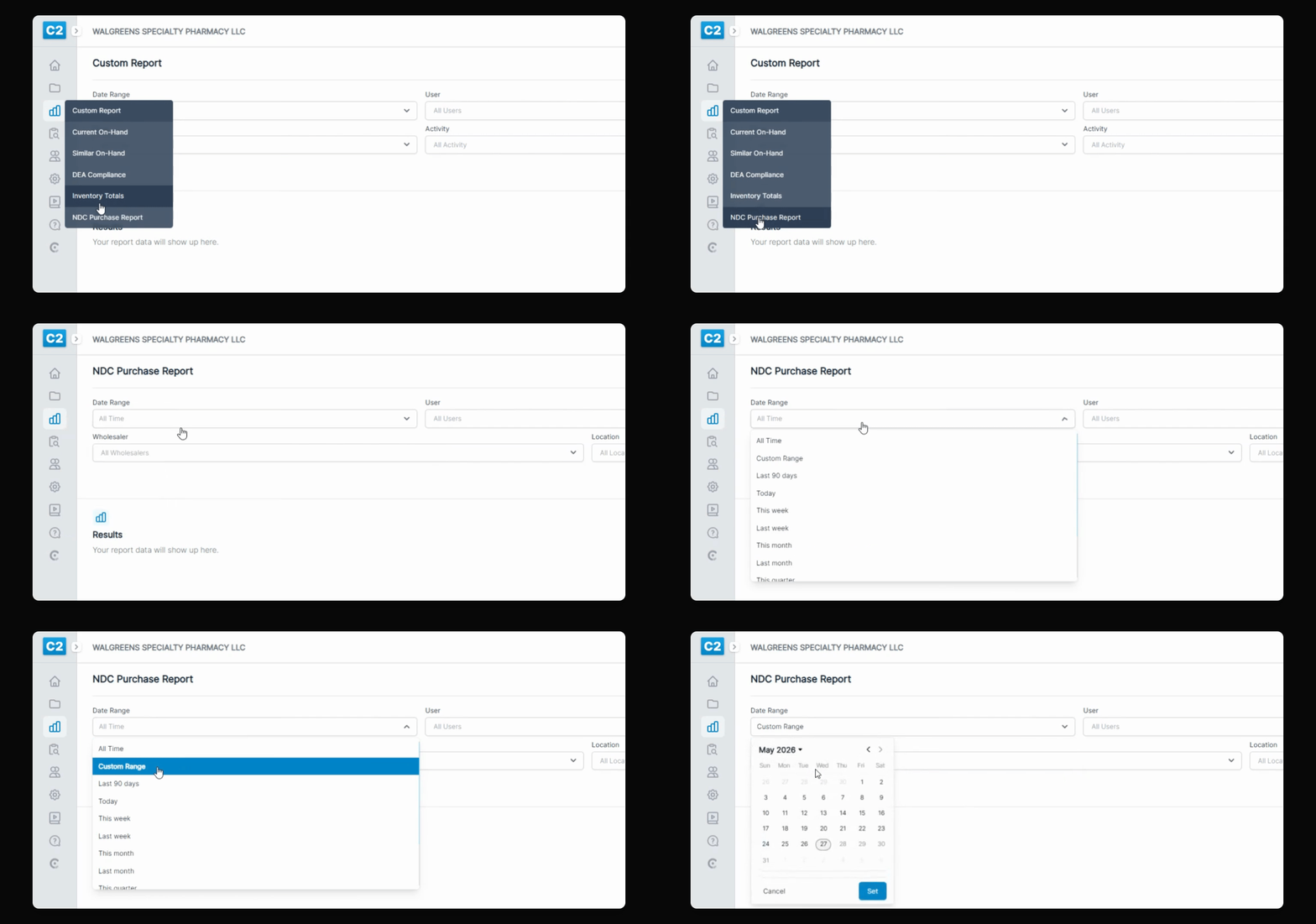
Step 3: Run the Report
For example, in the NDC purchase report, select your preferred time frame. This allows you to generate a report that matches exactly what you need to review.
This feature helps you meet auditor requirements or focus on your own review interests.