

TL;DR
1
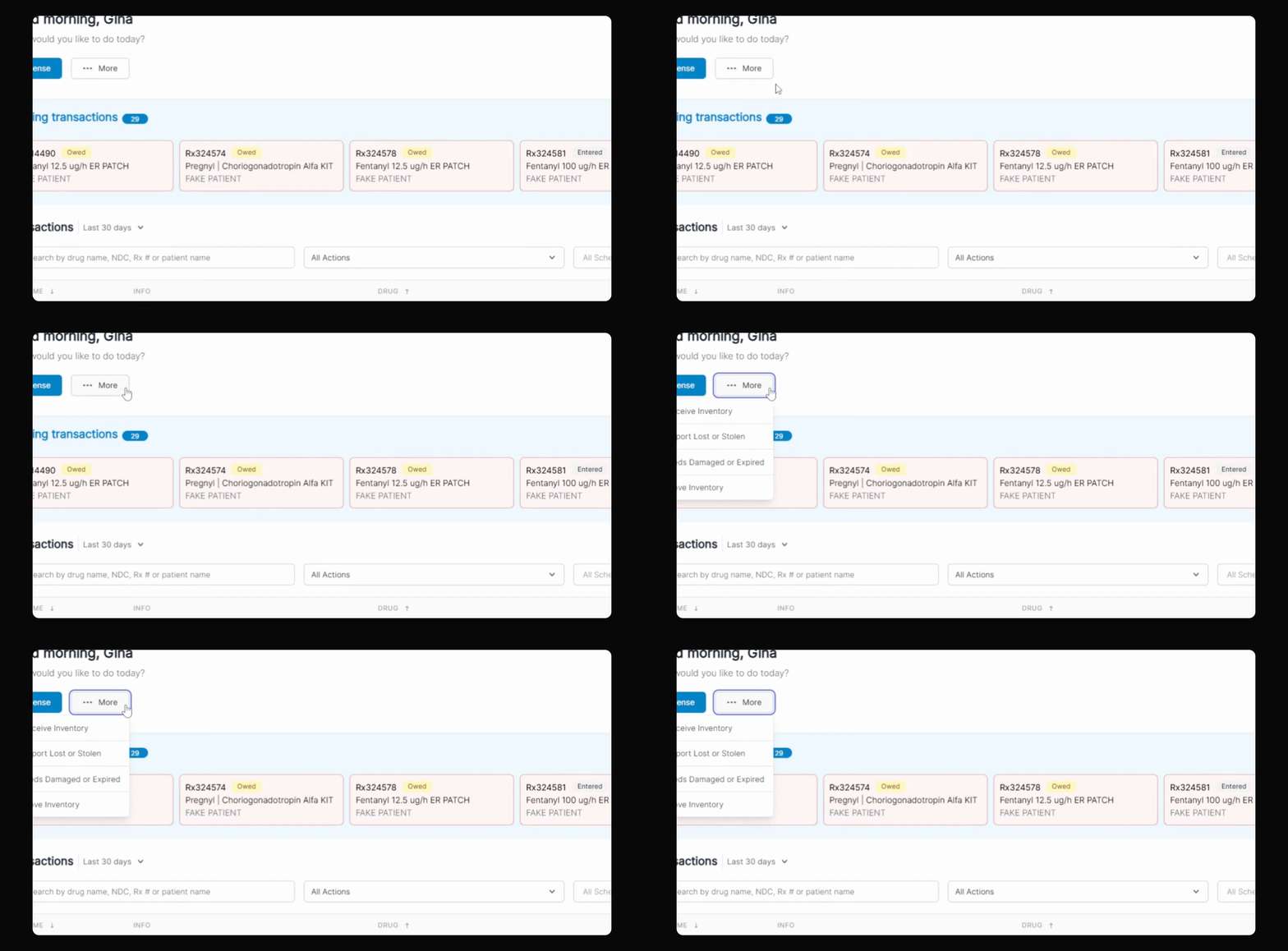
Open More menu
Click More and select Move Inventory.
2
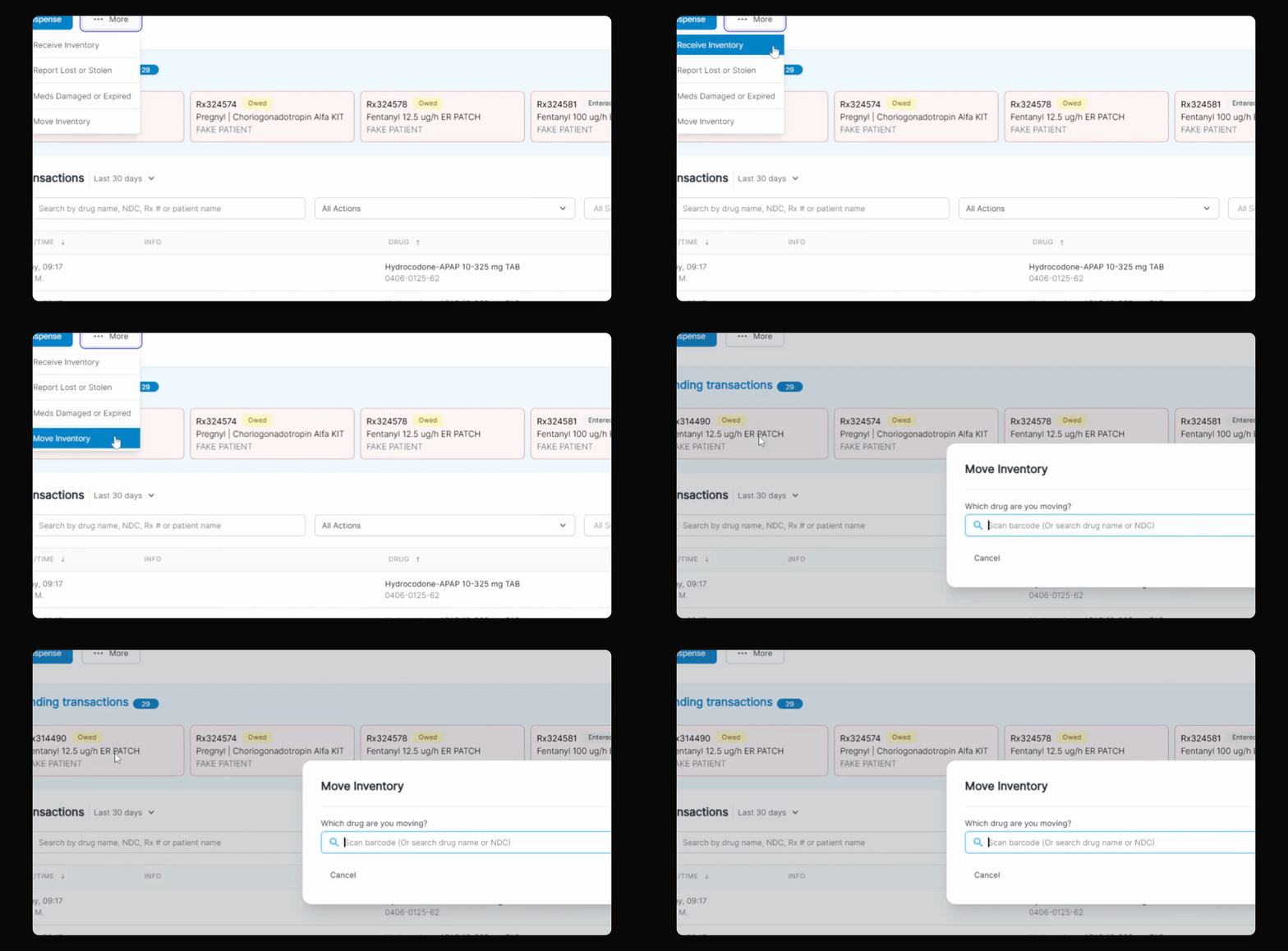
Enter inventory details
Scan or enter drug info and choose the location you want to move to. In this example, Emergency Box 2 is selected.
3
Submit move request
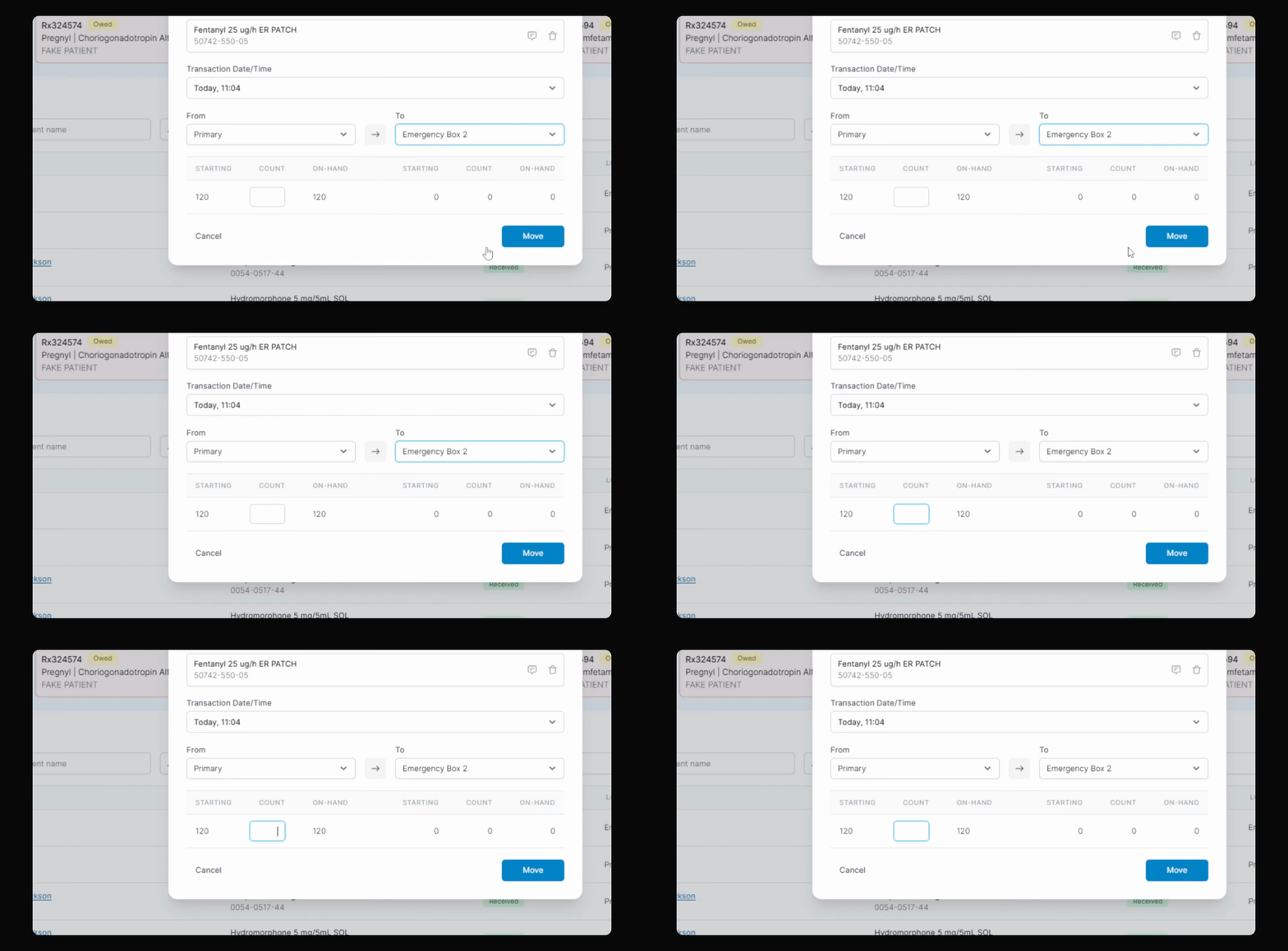
Enter amount, click Move, and confirm with your pin.
Let's Do It Together!
Step 1: Access Move Inventory
On your landing page, click the More button.
Select Move Inventory from the options.
Step 2: Select Inventory Details
Scan your stock bottle or enter the drug name or NDC.
Confirm the transaction date and time is set to today's date.
Choose the the location, as in this example, Emergency box two, from the location list.
Step 3: Enter Amount and Complete Move
Enter the amount to move to the Emergency box two.
Click the Move button and enter your four-digit pin.
Your inventory move is now successfully completed from your primary location to the Emergency box, with a total of four items moved.
Troubleshooting
Unable to select Move Inventory
Ensure you are logged in and have the right permissions.
Transaction date not populating
Refresh the page and try again.
FAQ
Can I move inventory from multiple locations?
No, you can only move from one primary location at a time.
What if I enter the wrong drug name?
You can edit the entry before completing the move.