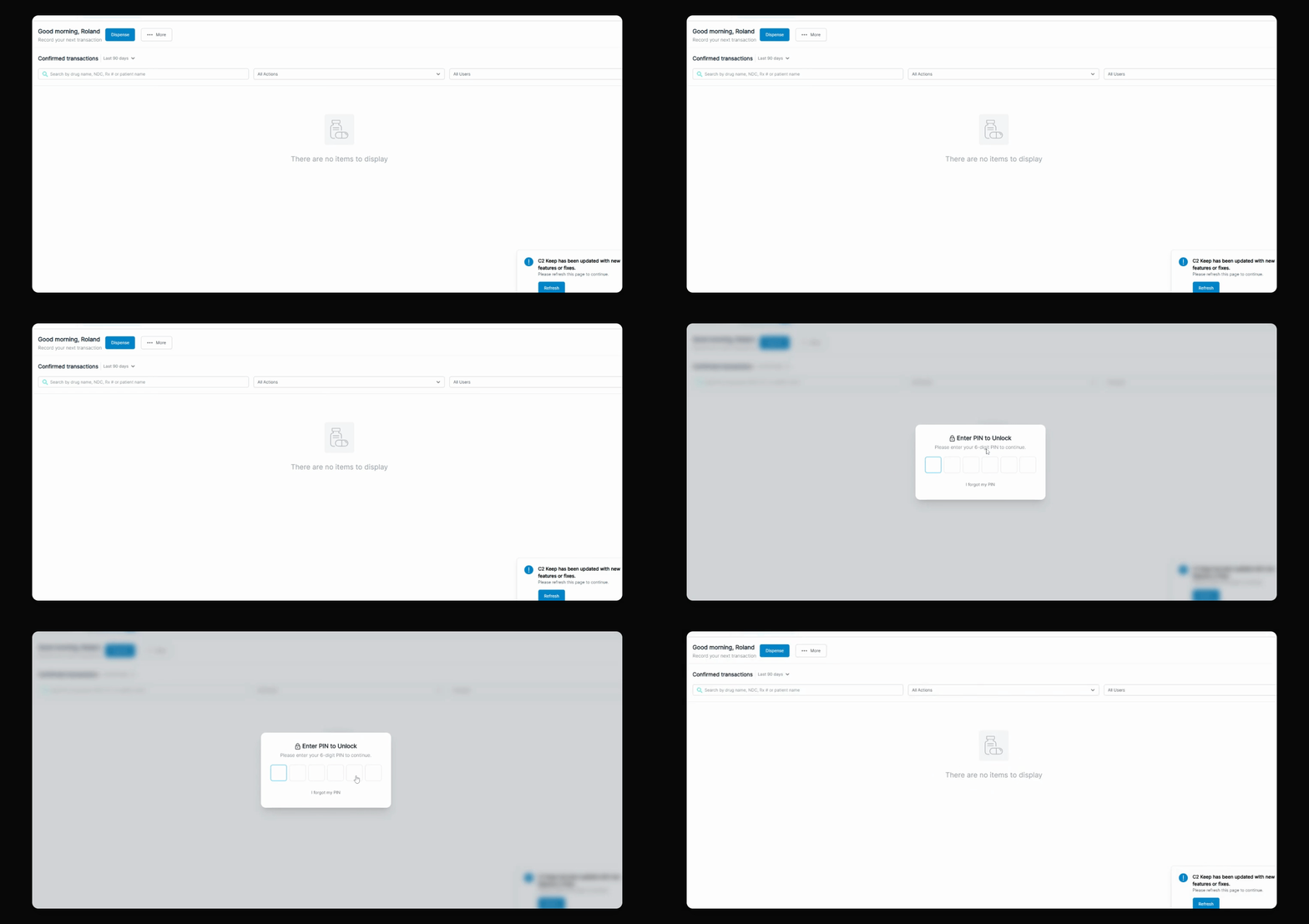
With the new security features in C2 Keep, when you log in, you're going to be forced to transition from the four-digit to the six-digit PIN. Let's look at the steps:
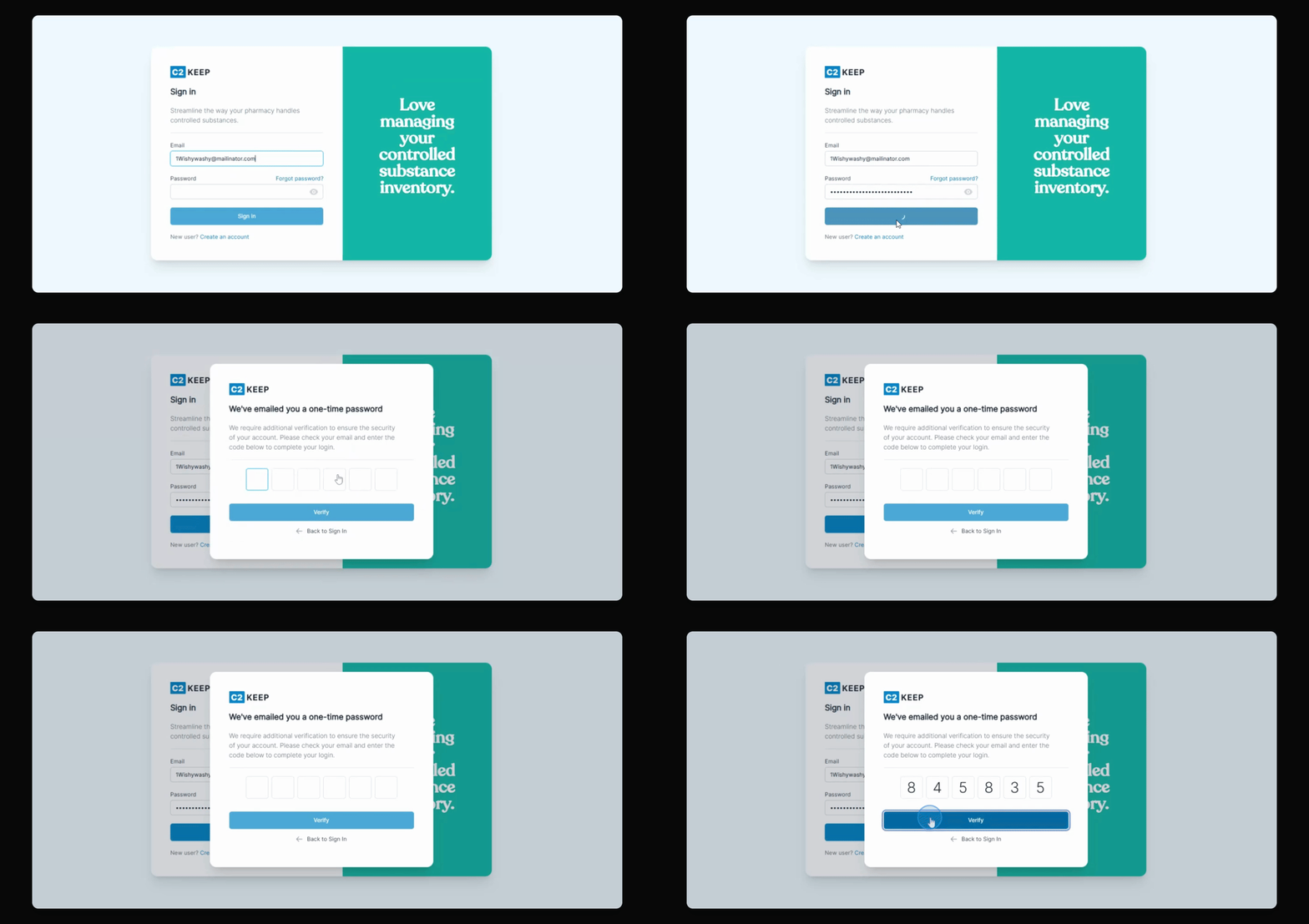
Step 1: Log In
Log in to the system. If you have not transitioned to the six-digit PIN yet, the system will prompt you to update your PIN.
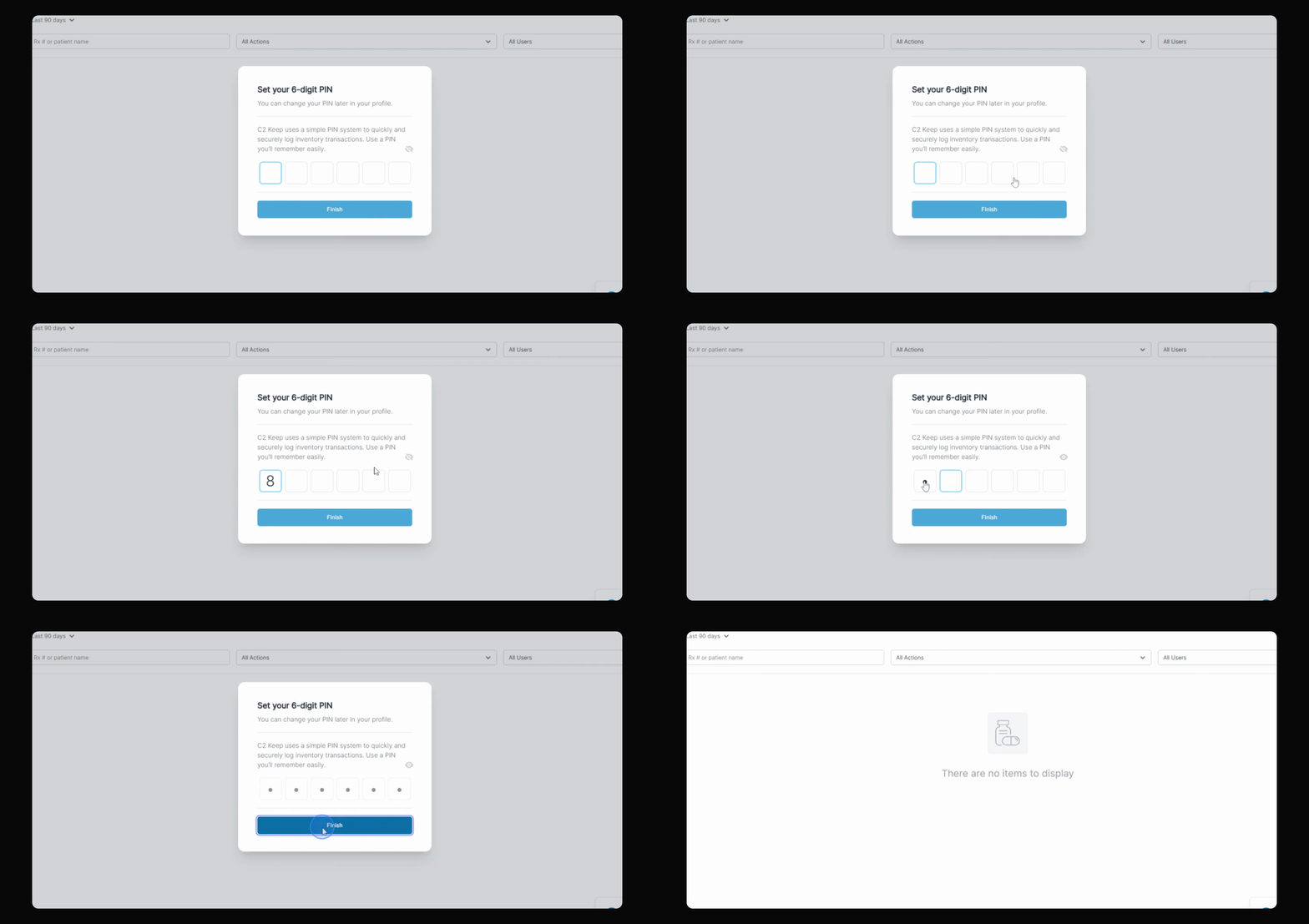
Step 2: Set New PIN
After logging in, you will be prompted to set up your new six-digit PIN. Follow the instructions to hide your numbers and set your PIN.
Remember, you will be required to change your PIN every six months, and you cannot reuse any PINs from the last two years. No two users in the same pharmacy can have the same PIN.
Once your new six-digit PIN is set, you can continue using it for transactions and unlocking the screen within C2 Keep.